No camera, no augmented reality, just your texts, reminders, captions and translations floating right in front of you. Here’s my honest take after a year with MIRA’s AI glasses.
MeekeOctober 3, 2026
Watch it in 30 seconds
Meeke explains this one in a YouTube Short
Perfect for sending to someone who won't read a whole article.
I’m an early adopter. If a gadget promises to make tech fit into life a little better, I usually want to try it. But I’ve always been uneasy about smart glasses with cameras on them. Walking around with a camera on your face, pointed at everyone you talk to, feels a little creepy to me.
So when I found smart glasses with no camera at all, I bought a pair. I’ve been wearing MIRA glasses for about a year now, and here’s what living with them is really like.
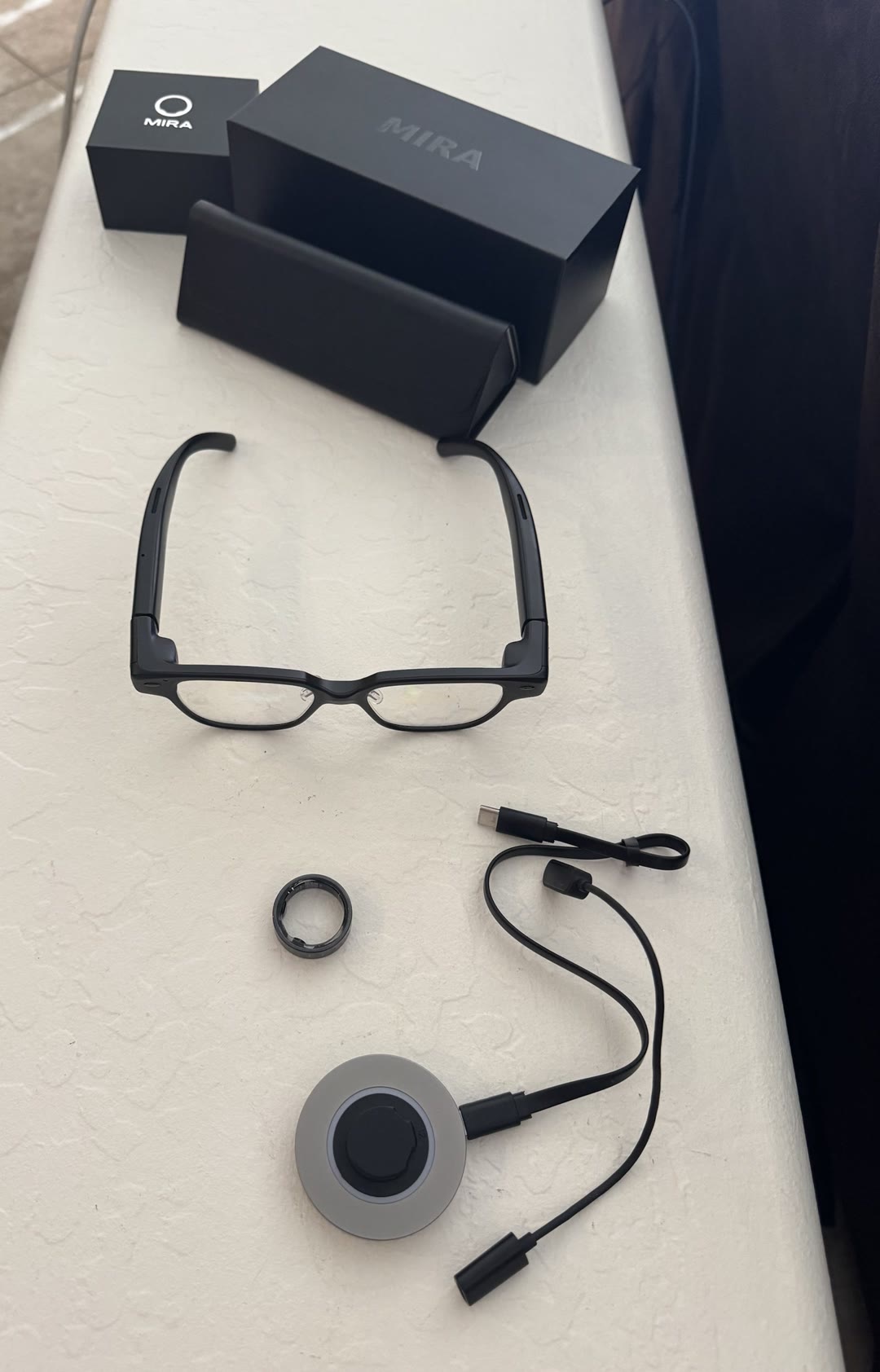
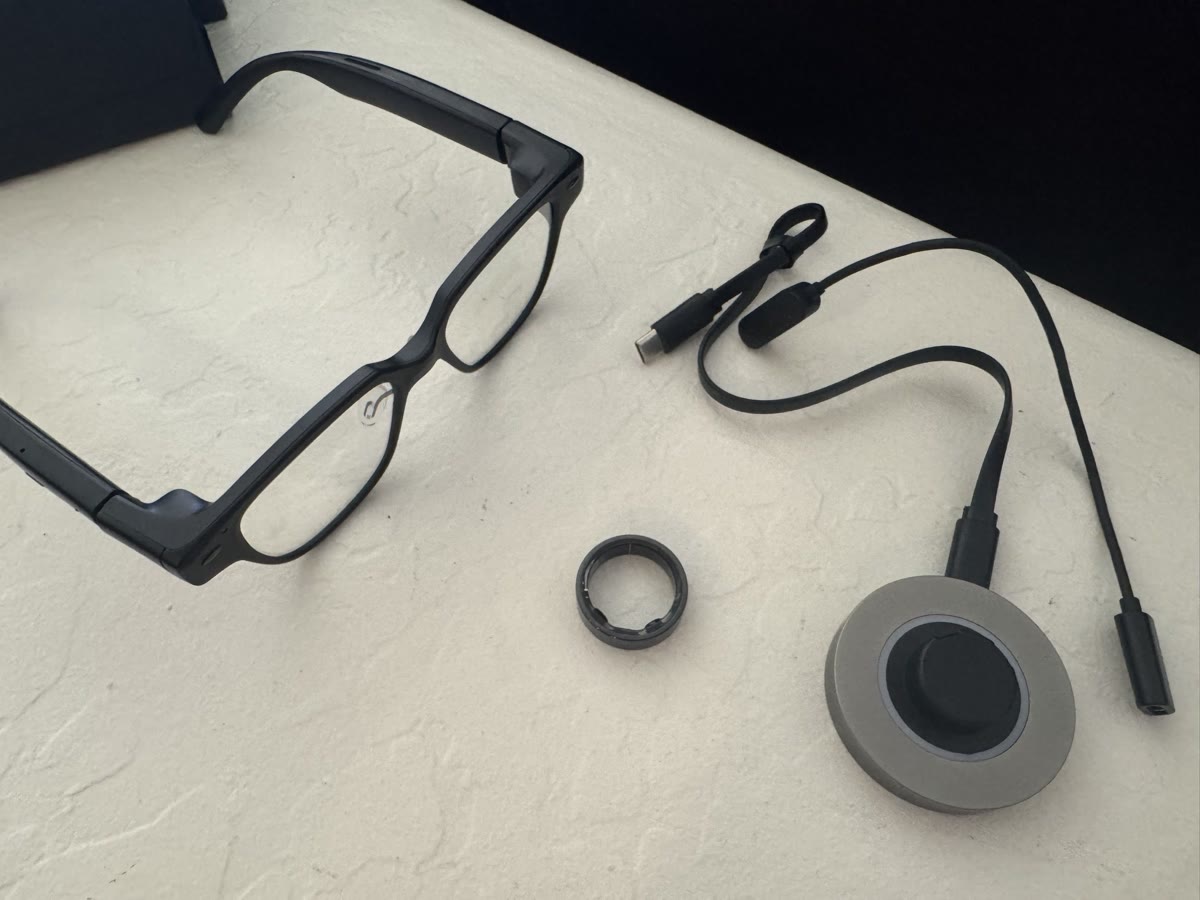
The glasses, the control ring, the charging dock, and the case.
👓
In plain English
Think of MIRA glasses as a visual version of earbuds. Like earbuds, they connect to your phone, handle calls, and keep things private. The difference is that instead of only hearing your alerts, you can see them: texts, reminders, captions and translations show up as little green words floating in front of your eyes.
First, what these are not
Let’s set expectations, because “smart glasses” means a lot of different things right now.
They are not augmented reality. Nothing gets painted onto the world around you. No virtual furniture, no arrows on the sidewalk. It’s a simple text display.
They have no camera. So you can’t look at something and ask “what is this?” They can’t see what you see. For me, that’s the point.
They do have microphones, and that’s where the magic is. Almost every feature I love starts with them listening.
What it’s like to wear them
They’re built sturdy and they’re light, about 39 grams. You can order them with your prescription, so they can be your everyday glasses.
The display sits straight ahead, slightly up. After a little practice, you learn to tilt your head so the text floats just above whatever you’re looking at. When something pops up, you just glance up a touch. That beats another pair of camera-free glasses I tried, which put a tiny screen in the upper corner. I was constantly looking up and to the side, it gave me a headache, and it looks awkward when you’re talking to someone.
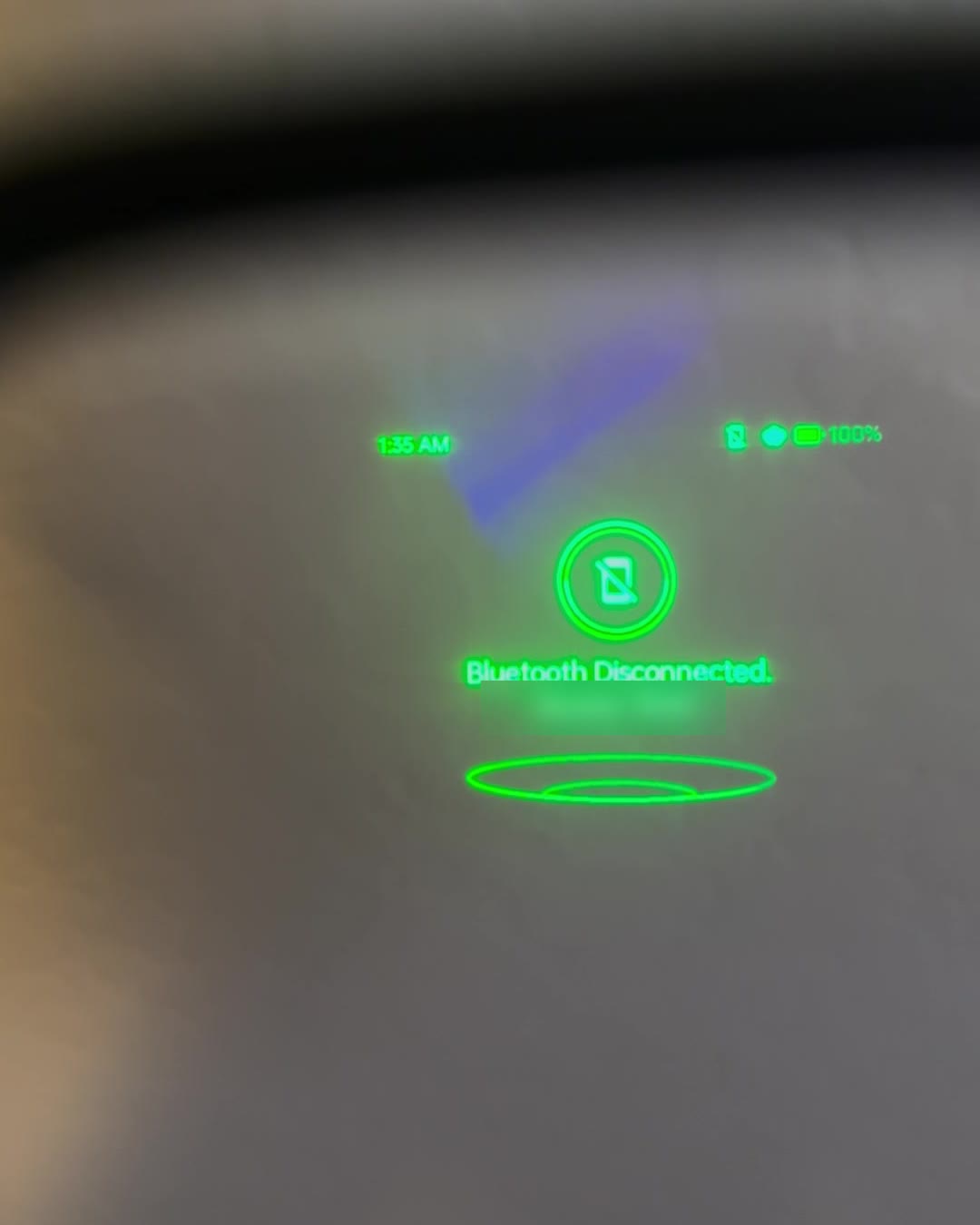
Looking through the lens: the time, the battery, and a notice, all in green. (It’s sharper in person. Phones are bad at photographing this.)
Is it invisible to everyone else? Mostly. People can sometimes see a faint rectangle on the lens, and in a dark room they might catch a glimpse of green text. You may get a curious look or two. Nobody can tell what’s actually on there.
The features I actually use
Notifications without picking up your phone. This alone is worth it to me. I can sit in a meeting and see a text or a reminder pop up without pulling out my phone or interrupting anyone. They also work as a hands-free headset for phone calls. All of that is included, with no subscription.
Private closed captions for real life. The microphones are sensitive and pick up speech well, and the words show up on the lens as people talk. For anyone who’s hard of hearing, this is a genuine breakthrough. Your own subtitles, for every conversation.
Live translation. MIRA says it understands more than 60 languages, and it shows the translation right on the lens. You can watch a foreign film with your own private subtitles. I’ve used it in restaurants when the staff were chatting in another language. Now I know what they’re saying, and maybe what not to order.
Make your own skills. I speak another language, but I don’t get to use it often, so I forget things like how to conjugate a verb. I set up a skill that listens to the conversation, and when I press the response button, it shows me a suggested reply in that language. It’s fast: if I pause like I’m thinking for just a moment, the suggestion is already there. (Like any AI, it can occasionally be wrong. Here’s why AI makes things up.)
Notes and memory. In a meeting, it can listen and give you a summary afterward. In the phone app, you can ask it to recap your day, take notes, or remind you what someone said earlier. Your home view on the glasses shows the time, battery, the local temperature, and whether listening is on. I don’t leave listening on all day, but some people do.
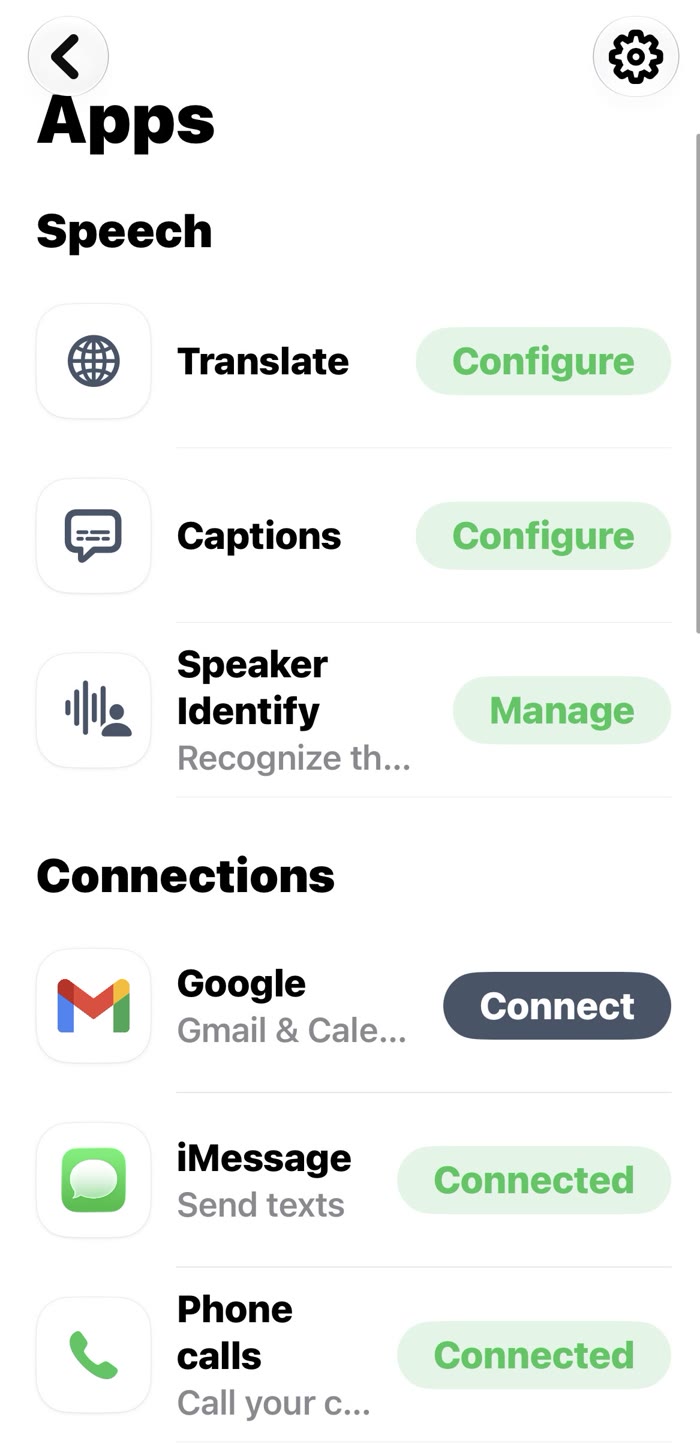
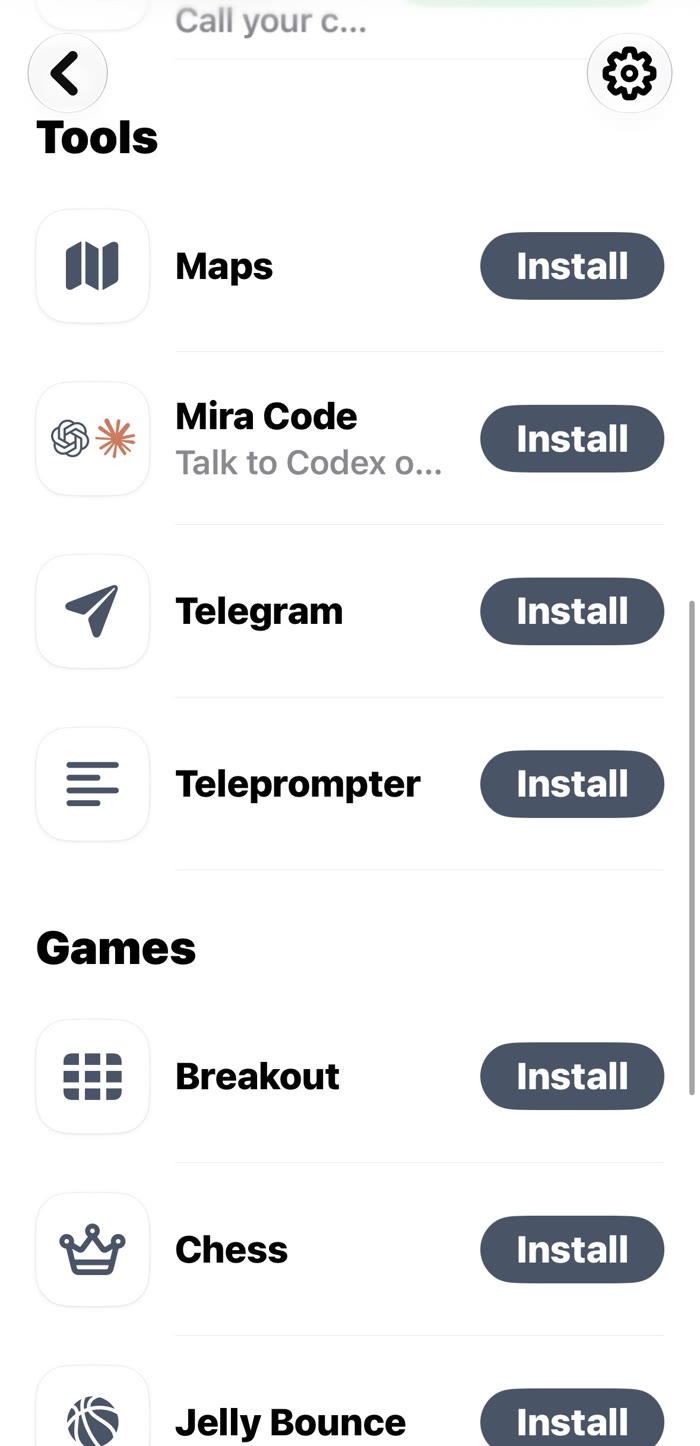
The phone app: speech tools and connections on the left, and extra tools like Mira Code and a teleprompter on the right.
They keep getting better
When I first got these, the features were pretty limited. Over the past year, the company has done a fantastic job of listening to customers and adding what we asked for. Messages, calendar, and caller ID now show up right in front of you.
My favorite example: early on, the developers didn’t want to add a wake word, and there was a lot of back and forth about it in the early adopter groups. They listened. Now you can say “Mira” and talk to it like an assistant.
And here’s the part that impresses the tech nerd in me: MIRA can connect to Claude, Anthropic’s AI. Say “Mira,” ask your question out loud, and it can pass it to Claude and show you the answer. That’s a remarkable amount of brainpower in your field of view, with no typing at all.
The things that bug me
Battery life. MIRA lists 10 hours. My pair gets about four. A little more if I’m mostly using them for notifications, and sometimes less with heavy translation or note taking. They definitely won’t last all day for me. The good news: a full charge takes about 40 minutes. It still interrupts the flow.
The charger turns them back on. When the glasses are connected to your phone over Bluetooth, they take over your phone’s audio. That’s great when you’re wearing them. But plugging them in to charge turns them back on. So you set them on the charger, walk to another room, and your phone is still sending audio to glasses you’re not wearing. I’ve tried to use dictation or talk to someone on a call and they couldn’t hear me. I really wish charging didn’t power them up.
The ring is twitchy. MIRA sent me a control ring about six months after the glasses. It’s meant for swiping up and down and clicking, but it’s very sensitive. After recent updates, even moving my finger slightly moves things on the screen. For now, I’ve chosen not to wear it.
The control ring and charging dock.
A note about privacy
No camera is a big privacy win. MIRA also says audio is never recorded, stored, shared or sold, and that only text transcripts are kept. Still, these glasses are designed to listen. If you’re captioning or taking notes, it’s polite to let the people around you know. I keep listening off unless I need it.
What do they cost?
I paid for mine myself, as an early adopter, at a lower price than today’s. As I write this, MIRA lists them at $649, or $749 with prescription lenses, with the control ring included. They work with iPhones (iOS 18 or newer) and ship in the US.
You don’t need a subscription. The core features are free, including notifications, calls, transcription, note taking and translation. There’s an optional AI plan, currently $20 a month, for unlimited AI assistant use. Without it, you still get a daily allowance of AI answers. Prices and plans change, so check MIRA’s site for the latest.
What I love
No camera, so no creepy factor
Notifications and calls without touching your phone
Private live captions and translation
Display sits straight ahead, not off to the side
Prescription lenses available
The company really listens and keeps improving them
Connects to Claude for serious AI help
Worth knowing
Not augmented reality, and can’t see what you see
My battery lasts about four hours, not all day
Charging turns them on and grabs your phone’s audio
The control ring is twitchy (for now)
iPhone only, and $649 is a real investment
People can sometimes see a faint glow on the lens
The specs, in plain English
Price
$649, or $749 with prescription lenses (from MIRA when I wrote this)
Display
A “waveguide,” which beams the picture into the lens itself so it looks like it’s floating in front of you
Camera
None
Microphones and speakers
Two of each, built into the arms
Weight
39 grams, about the same as a regular pair of glasses
Battery
MIRA lists 10 hours. My pair gets about four. Charges in about 40 minutes.
Languages
60+ for translation and captions
Works with
iPhone (iOS 18 or newer), iMessage, phone calls, Gmail, Google Calendar, Claude, ChatGPT and more
Weather
Splash resistant (IPX2). The ring is waterproof to 50 meters.
Colors
Black. Just black.
The verdict
I love these glasses. They aren’t trying to replace your eyes or film your life. They quietly put your notifications, captions and translations right where you’re already looking. The battery needs to get better, but based on how much this company has improved the first generation, I expect it will. A second generation is out now that I haven’t tried yet. Even so, I’d recommend them.
I bought these glasses with my own money, as an early adopter. MIRA didn’t pay me, didn’t see this review first, and nobody told me what to say. There are no affiliate links on this page.
Too long, didn’t read
MIRA glasses are like earbuds you can see: texts, reminders, captions and translations float in front of you.
No camera and no augmented reality, which is a privacy plus.
Live captions and translation are the standout features.
Battery is the weak spot: about four hours for me.
No subscription needed for the core features. I love them.
One short email: the scam making the rounds, one tech word made simple, and one tip to keep you and your family safe. Free, no spam, unsubscribe anytime. Plus a free printable "How to Spot a Scam" sheet for your fridge.
We send one email to confirm it's really you. Your address stays with us and our email service, nobody else. Privacy
Meeke
CEO (Chief Explanation Officer) · Like I'm 9
A real person behind a cartoon apple. In tech since elementary school, back when serious storage meant magnetic tape. Explaining it in plain English: no jargon, no judgment, no sponsors. The videos use an AI voice so I can keep my identity out of it.
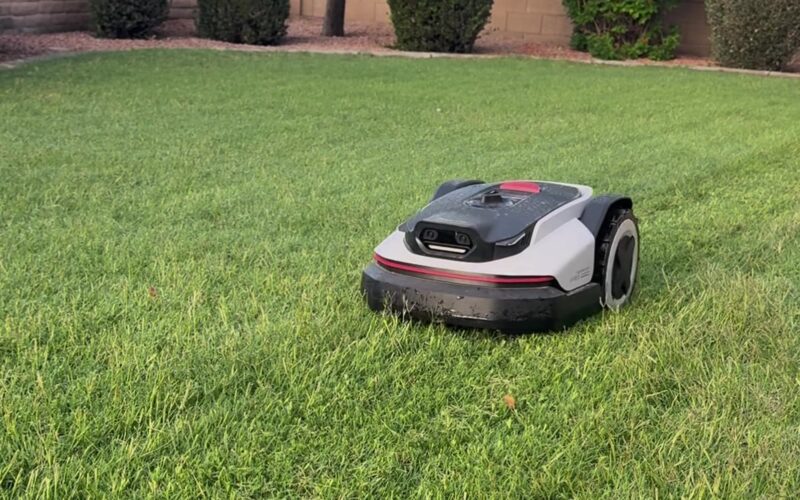
Twice a week, a quiet little robot named Carl mows my lawn on a schedule, even when I'm not home. Here's my honest take on the Roborock RockNeo Q1 after 10 hours of mowing.

 Review